Manual audits eat days, so they don't happen
Modules, consent, script failures, formatting. The work is real enough that it gets deferred — and deferred audits are the ones that matter.
Microsoft 365 & Entra ID Security Audit
360+ configuration checks across Entra ID, Exchange, Teams, SharePoint, and Defender — mapped to CIS, CISA SCuBA, EIDSCA, and ORCA. You get a severity-ranked, remediation-ready PDF, not a console full of PowerShell output.
Read-only access. No install. No subscription. 7-day refund on your first audit.
The problem
Conditional Access policies get disabled “temporarily.” Guest sharing loosens. Legacy auth never gets turned off. Admin roles outlive the people who held them. None of it announces itself — it accumulates quietly until an auditor, an insurer, or an incident forces the question.
Modules, consent, script failures, formatting. The work is real enough that it gets deferred — and deferred audits are the ones that matter.
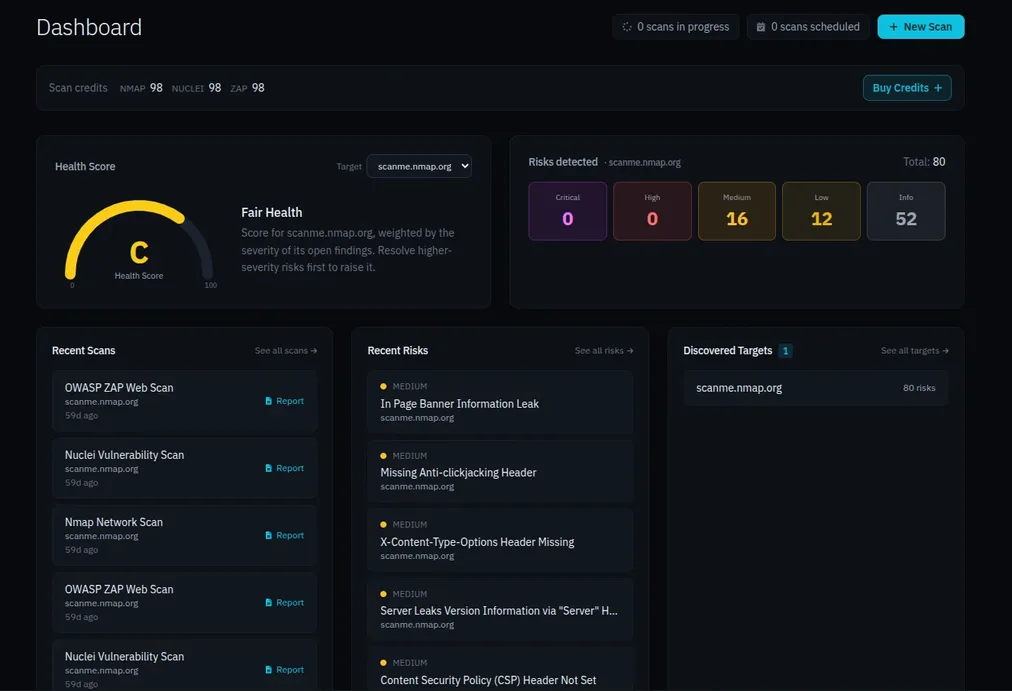
It scores one tenant against a generic baseline. It won't tell you which of your 40 open items actually gets you breached, and it won't produce something a client will read.
If you manage 30 client tenants, Microsoft gives you 30 separate dashboards. Building the cross-tenant rollup yourself is a side project you'll never finish.
The deliverable
Severity-ranked. Plain English. Ready to send.
Executive summary written for leadership, not engineers
Findings ranked by exploitability and blast radius, not alphabetically
Step-by-step remediation with deep links to the exact admin portal setting
Control-ID mapping to CIS, CISA SCuBA, EIDSCA, and ORCA
Trend data across previous audits of the same tenant
White-label option: your logo, your firm's name, on every page
Coverage
Five community-maintained benchmarks, one run.
Conditional Access coverage and gaps, MFA enforcement, privileged role assignments, legacy authentication, guest access, sign-in risk policies.
Anti-spam and anti-phishing policy, DLP rules, mail flow and transport rules, mailbox auditing, external forwarding.
External and federated access, guest permissions, meeting policy, app permission policy.
External sharing scope, link defaults, unmanaged device access, site-level overrides.
Onboarding coverage, alert policy, Safe Links and Safe Attachments configuration.
CIS Microsoft 365 Foundations Benchmark v3.1.0 — 60+ tests for Entra ID, Exchange, Teams, and SharePoint.

US CISA Secure Cloud Business Applications baselines — 70+ tests covering identity, access, devices, and apps.

Best-practice checks curated by the security community — 170+ covering the wider M365 attack surface.

Entra ID Security Config Analyzer baseline from the Entra ID Attack and Defense Playbook — 60+ tests.

Office 365 Recommended Configuration Analyzer — comprehensive Exchange Online configuration checks.
Every audit runs all five. You don't pick a framework and miss what the others would have caught.
How it works
A Global Admin approves one read-only consent request. No credentials change hands, no service principal to create, no PowerShell module to install. Roughly 30 seconds.
Before anything runs, we verify every required Graph scope and directory role is actually granted, and show you exactly what's missing if something isn't. Audits fail at the start with a clear fix — not halfway through with a silent gap in your results.
Read-only checks against live tenant configuration. Nothing is written, nothing is changed, no network scanning or probing. Most tenants finish in 5–15 minutes.
A finished, severity-ranked PDF — branded as yours if you've enabled white-label — plus the findings retained in your dashboard for trend tracking on the next run.
Security & access
You're being asked to grant a third party access to a production tenant. That deserves a straight answer rather than a trust badge.
Read-only application permissions only: Organization.Read.All, Policy.Read.All, RoleManagement.Read.Directory, AuditLog.Read.All, plus specific read scopes for Exchange Online and Teams. The complete list is shown in the consent prompt before you approve anything, and again in the preflight check before every audit.
We hold no write permissions of any kind — modifying your tenant is not technically possible with the scopes we hold, not merely against policy. We don't install agents. We don't read mailbox or file contents. We read configuration state only.
Who it's for
You manage a book of client tenants and need an audit that's repeatable, defensible, and deliverable. Onboard a new client with a consent link, run the same checks across every tenant, and hand each client a report with your logo on it. One dashboard shows posture across your whole book, so you can spot the weakness that's showing up in nine clients at once.
See MSP pricingYou need an outside read on your own tenant before the thing that's coming — a cyber-insurance renewal, a SOC 2 or CMMC cycle, a vendor questionnaire, a board review. One audit gives you a prioritized fix list and an evidence file, without a two-week consulting engagement or a headcount you don't have.
Audit your tenantWhere this fits
Secure Score is free and built in. The open-source tooling is free and capable. Here's where M365Audit sits between them.
| M365Audit | Secure Score | Open-source / manual | Enterprise SSPM | |
|---|---|---|---|---|
| Multi-tenant dashboard | Per tenant only | Build it yourself | ||
| White-labeled client PDF | Export only | Build it yourself | Varies | |
| Historical trend tracking | 30-day window | Manual | ||
| Benchmark mapping | All five | Partial | If you wire it up | Varies |
| Pre-flight permission check | N/A | Varies | ||
| Admin portal deep links per finding | N/A | Varies | ||
| Setup effort | One consent click | Built in | Modules, SPNs, scripting | Implementation project |
| Time to first report | Minutes | N/A | Hours per tenant | Weeks |
| Cost | $299 per audit | Included | Free | Annual contract |
If you have the hours and the PowerShell comfort, the open-source route genuinely works. You're paying us for the consent flow, the multi-tenant rollup, the preflight, and a report you don't rebuild every quarter.
Compliance
M365 configuration auditing isn't a nice-to-have you're proposing to your client. It's a control they're already measured against.
“Continuously acquire, assess, and take action on new information in order to identify vulnerabilities, remediate, and minimize the window of opportunity for attackers.”
“Secure configuration of cloud identity services requires continuous monitoring of Entra ID settings against published benchmarks.”
“Monitor and scan for vulnerabilities in the system and hosted applications, and when new vulnerabilities potentially affecting the system are identified and reported.”
“Covered entities must implement technical policies and procedures for electronic protected health information access controls and audit controls.”
Every finding in your report carries the control ID it maps to, so the evidence goes straight into the audit file.
See the deliverable
A full audit report for a sample tenant — executive summary, severity breakdown, and detailed findings with business impact and remediation steps.
We're generating a fresh sample report for M365Audit. Check back shortly — or run an audit against your own tenant to see the real thing.
Run an audit — $299Pricing
One credit, one tenant, all 360+ checks, one finished report. Add white-label for $50 one-time to put your brand on every report.
1 audit · $299
Permanently removes M365Audit branding from all your reports. Your logo, your firm name on every page. One-time purchase.
Credits never expire. No subscriptions, no commitments.
FAQ
Yes. Every check is read-only and reads configuration state through the Microsoft Graph API. There's no port scanning, no network probing, no traffic to your endpoints, and no write permission held at any point. Running it during business hours is fine.
Read-only application permissions: Organization.Read.All, Policy.Read.All, RoleManagement.Read.Directory, AuditLog.Read.All, and specific read scopes for Exchange Online and Teams. The full list appears in the consent prompt before you approve, and again in the preflight check before every run.
Findings are stored so you can trend repeat audits of the same tenant, and are accessible only to your account. You can delete your audit data at any time from account settings. We never store mailbox or file contents — only configuration state.
A Global Admin clicks a consent link and approves the read-only permissions. No credentials are shared, no modules installed, no service principal to create. About 30 seconds.
Most tenants finish in 5–15 minutes.
One complete audit of one tenant — every check across all five benchmarks — and the full PDF report, plus that tenant's findings retained for trend comparison on future audits.
You're paying for everything around the checks: the multi-tenant consent and onboarding flow, the preflight permission check that stops silent failures, the cross-tenant dashboard, the trend history, and a client-ready report you don't rebuild by hand. Doing it yourself is a few hours per tenant the first time and an hour or two every time after. At $299 the question is just whether that time is worth more than the fee.
Yes — $50 one-time enables white-label permanently across every report on your account.
Never.
7-day no-questions-asked refund on your first purchase. After that, case by case.
One consent click, 360+ checks, and a report you can send to a client the same afternoon. $299, one time, refundable for 7 days.